← Dreamy Y2K home
DIGITAL CAMERA FILTER
Digital camera filter: your selfie as a 2000s digicam flash photo
Upload a selfie and get the look of a night out shot on an old point-and-shoot: direct flash, a little overexposure, grain and a date stamp in the corner.
 Original
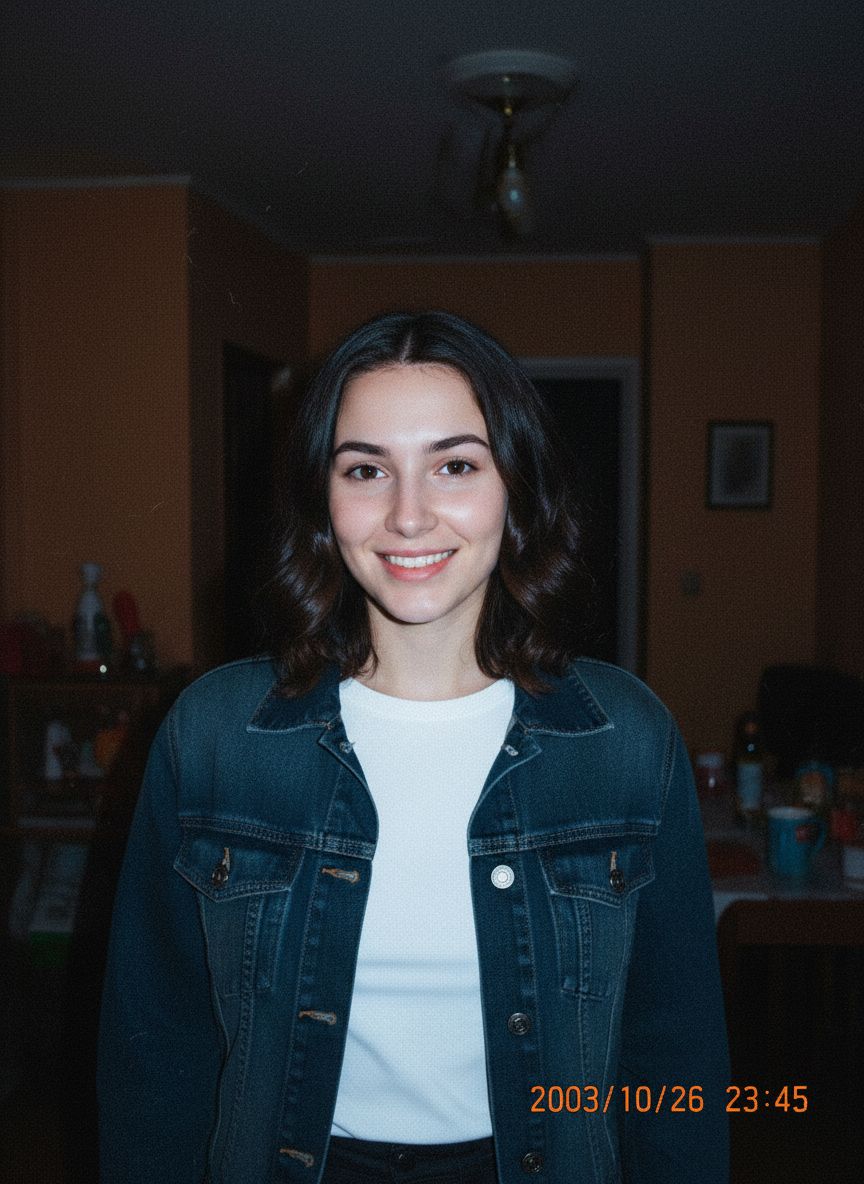 Digicam Flash
What makes the 2000s digicam look
- Direct on-camera flash
- A bright, flat flash on the face with quick falloff into darker surroundings.
- Slight overexposure
- Highlights bloom a little, the way small sensors handled flash up close.
- Cool shadows and soft noise
- Blue-ish shadows and fine grain instead of clean detail.
- Orange date stamp
- The classic timestamp in the bottom-right corner. The date is generated and cannot be chosen.
Tips for a convincing digicam photo
- ✦ Use a front-facing selfie with your face clearly visible.
- ✦ Indoor or evening photos feel the most authentic with flash.
- ✦ Pick 9:16 for a story or phone wallpaper, 1:1 for a profile picture.
- ✦ Results vary between generations; a second try can change the scene.
Digital camera filter FAQ
- Is this digital camera filter free?
- Eligible new accounts receive 3 starter credits after email verification, and each photo uses 1 credit. More credits are a one-time purchase with no subscription.
- Does it keep my background and outfit?
- Not always. The AI recreates the photo as a flash snapshot, so the background and clothing can change. Your face is kept recognizable.
- Can I choose the date on the stamp?
- No. The date stamp is part of the generated image and cannot be set.
- What happens to my photo?
- Your original photo is resized on your device and used only to create your image. Dreamy Y2K does not save it; only the result is stored privately in your account.